
A job seeker and a founder need two completely different profiles. Most LinkedIn advice pretends otherwise.
The Profile Cheat Sheets break down which sections to build and what belongs in each one, based on what you're actually trying to accomplish. Seven profile types. Twenty pages. Free.
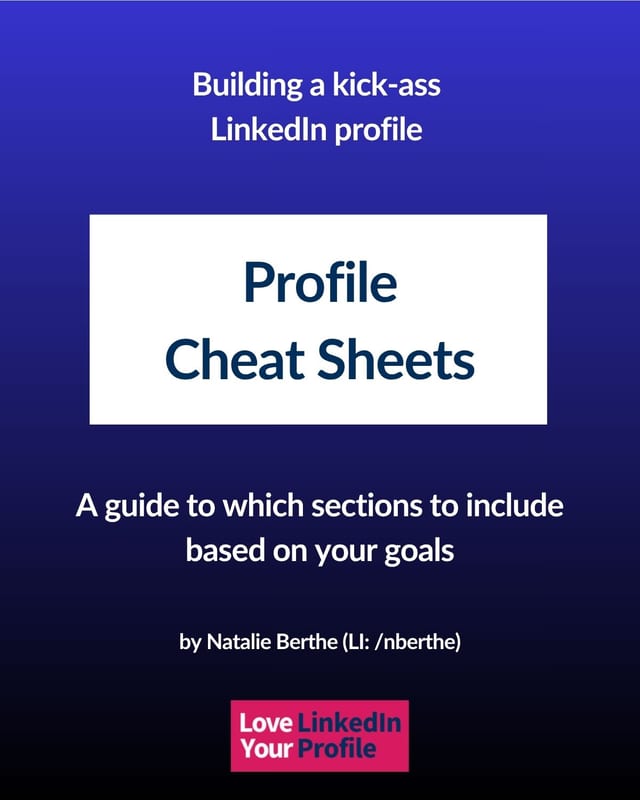
Here's what happens when you decide to fix your LinkedIn profile.
You open it. You look at the blank sections. You think, okay, I'll fill in everything, because more is more, right?
Wrong.
Filling in every section with everything you've ever done is how you end up with a profile that says nothing. And leaving sections blank because someone told you they "don't matter" is how you end up invisible.
Both are the same mistake. Neither one starts with the only question that determines the answer: what is this profile actually for?
Finding a job and finding clients are not the same project. Building authority and getting funded are not the same project. The sections you need, and what goes in them, change completely depending on which one you're doing.
A supply chain analyst once showed me his profile. It had everything. EVERYTHING. Twenty-plus bullet points per role. Every task, every responsibility.
"Analyzed supply chain metrics."
"Tracked supply chain data."
"Managed supply chain."
In a group of supply chain professionals. Nothing about him stood out from anyone else doing the same job.
His career coach had told him to use every available space. Every. Available. Space.
Except his Featured section was empty. His banner was a random city skyline. No projects. No certifications. Just the list, the one that bored me two bullets down.
He'd been working with that coach for a while. Still didn't have a job.
What's inside
Seven profile types. Twenty pages. Zero guesswork.
Find yourself on the list, then build exactly those sections.
-
Profile type 1
Every profile, no exceptions
The sections nobody gets to skip, and what "done" looks like for each one. (Yes, including your banner. Especially your banner.)
-
Profile type 2
Career Professionals
You're employed and climbing. Your profile's job right now is to document the journey so that when you shift into job-seeker mode, you're updating a few sections instead of starting over.
-
Profile type 3
Job Seekers
You're actively looking, and you need to satisfy two very different readers: LinkedIn's search, and the human deciding whether to interview you. Optimize for AI and the human eye.
-
Profile type 4
Service Providers: Thinkers & Planners
Consultants, fractional CXOs, strategists, coaches, course creators. You work in ideas and teaching, and your profile needs to prove a methodology exists.
-
Profile type 5
Service Providers: Doers & Execution
Freelancers, designers, developers, marketers, DFY and DWY services. You work in execution, and your profile needs to show the work.
-
Profile type 6
Founders & Entrepreneurs
Product-based businesses, funded or not. Your audience is peers, advisors, your ecosystem, and possibly investors. Different readers, different sections.
-
Profile type 7
Thought Leadership
Speakers, authors, podcasters, creators. You're known for a philosophy and an approach, and your profile needs to carry both.
Plus the part most people get stuck on: how to actually add a section to your profile when LinkedIn hides it three clicks deep.
For each profile type, you get a section-by-section breakdown with notes on what belongs there:
- 🔹 Banner: what it should communicate, by profile type
- 🔹 Headline: what makes it worth reading (no "I help" statements)
- 🔹 About: your closing argument, not your introduction
- 🔹 Featured: what to put there, since it's rarely empty by accident
- 🔹 Experience: how much detail, and what kind
- 🔹 Projects, Services, Publications, Skills, Organizations: when each one earns its place, and when to skip it
These are guidelines, not commandments. If a section doesn't apply to you, skip it. If something's missing that matters for your situation, add it. The point is to give you a plan instead of a blank page.
Grab it if:
- 🔹 You've been meaning to fix your profile for months and keep not doing it
- 🔹 You've filled everything in and it still isn't doing anything
- 🔹 You're about to start looking, and you'd rather not scramble
- 🔹 You've read the generic advice and something about it felt off
Skip it if you're looking for a template to copy. These cheat sheets tell you which sections to build and what belongs in them. What you put in them still has to be yours.

I'm Natalie Berthe. I wrote Love Your LinkedIn Profile, I built the Optimize course, and I work with private clients one-on-one. Thirty years of walking into broken situations and figuring out how they actually work.
Not resumes. Not general career coaching. Just LinkedIn profiles.
These cheat sheets are adapted from the book.
What's the catch?
There isn't one. It's twenty pages, it's free, and it's genuinely useful on its own.
You'll get on my email list, where I write about what's actually working on LinkedIn and occasionally get annoyed about bad advice in public. Leave any time, no hard feelings.
If you want the full detail behind each section, that's what the book and the course are for. But you don't need either one to use these.
Stop guessing which sections matter.
profile types
pages
straight to your inbox